


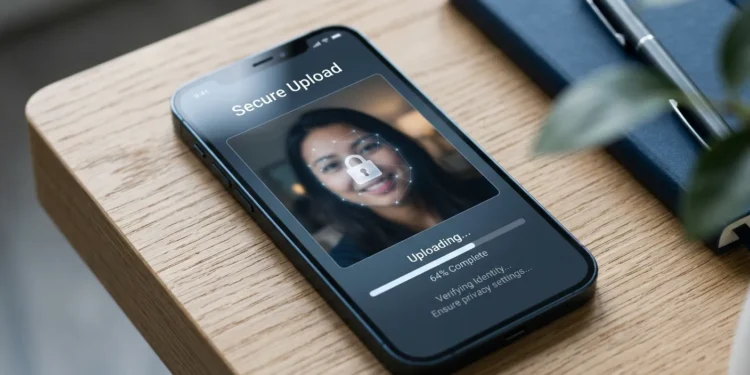
Short answer: Joyfun AI appears to be a functioning, real service rather than a scam, and reviewers who have tested it report no malware or obvious fraud. But “not a scam” and “safe to upload your face to” are two different standards, and on the second one the picture is less reassuring. The domain is young, the ownership is hidden behind privacy protection, independent safety scanners disagree with each other, and the privacy claims on its marketing pages don’t always line up with its own terms.
If you want the practical version: using Joyfun AI for a throwaway face-swap of your own photo is low risk. Uploading photos of your kids, your coworkers, or anyone who hasn’t agreed to it is a different matter, and there are concrete reasons to think twice. Here’s everything worth knowing first.
What Joyfun AI Actually Is
Joyfun AI (joyfun.ai) is a browser-based AI media tool. Its site title describes it as a free AI video generator with face swap and effects, and the toolset generally includes:
- Face swap for photos and video clips
- Image-to-video, which animates a still photo into a short clip
- Text-to-video, generating short scenes from a written description
- Image-to-image restyling, turning a photo into a different art style
- Various preset “effect” generators
Reviewers who’ve tested it describe face swap as its signature feature: you upload a source face plus a target image or clip, and the tool maps one onto the other. Photo swaps reportedly come out cleaner than video swaps, where frame-to-frame inconsistencies can show up — a limitation common across the whole category, not unique to this tool.
The appeal is obvious. It’s free, it runs in a browser, and at least one hands-on review in mid-2026 found it required no conventional registration to start generating. Low friction is exactly why people upload before they think.
A Name Collision Worth Knowing About
Before going further, one thing trips up almost every search on this term. There appear to be two separate products using the JoyFun AI name: the joyfun.ai video and face-swap site described above, and a separate AI companion/chat app that generates photos of an AI character and is reviewed as a chatbot product.
They’re not the same thing, and reviews of one get mistaken for reviews of the other constantly. A glowing “I tested it for seven weeks and it felt safe” review of the companion app tells you nothing about the face-swap site’s handling of your uploads. If you’re researching, check which product a review is actually describing before you trust its verdict.
Complicating it further, one reviewer noted the video platform bills under a different company name (“Joyland AI”), which is the kind of detail worth verifying yourself on the payment screen before entering card details.
What the Safety Checkers Actually Say
Automated trust-score sites are the first thing most people find, so it’s worth seeing how little they agree.
| Source type | Verdict | Notable signals |
|---|---|---|
| One automated safety checker | High score (90/100), “safe website” | Valid SSL, no past security incidents, server located in Singapore |
| A malware/reputation scanner | Mixed, 61/100 trust | Flagged young domain, negative user reviews, AI nudity and APK-download signals |
| A well-known scam-check site | “Probably legit,” average trust | Valid SSL certificate, but owner identity hidden on WHOIS and domain registered recently |
Three scanners, three different answers. That’s not unusual — these tools run automated heuristics, not investigations, and most of them say so in their own disclaimers.
What the disagreement does tell you is the honest summary: nothing points to outright fraud or malware, and nothing establishes a strong trust record either. A couple of recurring red-flag-adjacent details show up across sources: the domain is less than roughly a year old at the time of these checks, and the owner uses a paid WHOIS privacy service to stay anonymous. Neither is proof of anything — plenty of legitimate businesses hide WHOIS data — but together they mean there’s no accountable party you could identify if something went wrong with your data.
The Privacy Question: What Happens to Your Photo?
This is the part that actually matters, and it’s where marketing language and legal language tend to part ways.
What the Site Claims
Coverage of the platform reports that it claims to handle user data securely, with uploaded images and videos processed temporarily rather than stored permanently, and that generated content is private by default unless a user switches on a public-visibility setting. Reviews also note that its feature pages make strong privacy claims.
Those claims are the good news. Here’s the caution that came attached even from reviewers who rated the tool positively: avoid uploading sensitive or confidential images and videos regardless.
Where the Claims Get Shakier
Several independent reviews point to gaps between the promise and the paperwork:
- Marketing claims versus terms. One 2026 review that read the homepage, pricing page, privacy policy, and terms found the company’s public messaging internally inconsistent on some points, including its stance on adult content.
- Data sharing. Another review states the platform shares data with business partners and lacks end-to-end encryption, and concluded that anyone needing strong privacy protections should choose a different tool.
- No commercial-safe guarantee. Unlike Adobe Firefly, which indemnifies users for its outputs, Joyfun reportedly offers no such protection and doesn’t provide explicit commercial licensing terms in its public documentation.
None of this is exotic. Most free hosted AI services operate this way. But “most services do it” isn’t a privacy policy, and a free tool has to monetize somehow.
The Honest Framing
“Temporarily processed, not permanently stored” is a claim you cannot independently verify from the outside. You’re trusting a young, anonymously-owned company’s word about what happens on its servers in another jurisdiction. That’s a reasonable risk to take with a goofy photo of yourself. It’s an unreasonable one to take with a photo you’d be upset to see resurface.
The Risk Most Articles Skip: Other People’s Faces
Here’s the part a feature review won’t tell you. The riskiest thing about face-swap tools generally isn’t malware — it’s consent.
When you upload a photo containing someone else’s face, you’re making a decision on their behalf about their biometric data. In the US, that’s not just an etiquette question in every state.
Illinois’ Biometric Information Privacy Act (BIPA), passed in 2008, was the first US law addressing the collection and storage of biometric identifiers, and it covers scans of face geometry. It’s notable for allowing statutory damages — $1,000 per negligent violation and $5,000 per intentional or reckless one, plus attorneys’ fees — and it provides a private right of action, meaning individuals can sue directly. Courts have repeatedly allowed BIPA claims over face-template collection from uploaded photos to proceed, in cases involving large companies’ photo services and face-swap style features.
A few honest qualifications, because this gets oversimplified online:
- These laws primarily target the companies collecting biometric data, not individual users posting selfies.
- State coverage is uneven — Illinois and Texas were the early movers, and rulings have gone in different directions depending on facts.
- Whether any specific tool’s processing counts as covered biometric collection is a legal question that depends on how the technology works and how the company handles data.
The practical takeaway isn’t legal panic; it’s that the law reflects a real concern. If you wouldn’t hand someone’s photo to a stranger and say “do whatever,” don’t upload it to a free tool whose owner you can’t identify. And if this touches anything professional — client photos, employee images, anything commercial — talk to a lawyer rather than a blog post.
The Deepfake Dimension
Face-swap output has an obvious misuse path, and platforms in this category vary widely in how seriously they police it. One scanner flagged AI nudity signals on the site, and one review noted inconsistent public messaging about adult content.
Creating sexualized or deceptive imagery of a real person without consent is harmful, increasingly illegal in various US jurisdictions, and a fast way to end up in legal trouble no matter which tool produced it. If a platform’s stance on that is unclear, that ambiguity is itself information about how carefully it’s run.
A Practical Safety Checklist Before You Upload
If you’ve decided to try it, these steps meaningfully reduce your exposure. They work for any free AI photo tool, not just this one.
- Use a throwaway email. If registration is required, don’t link your primary account or sign in with Google. That connects your real identity to whatever the service logs.
- Upload only photos of yourself. No friends, no kids, no coworkers, no strangers from the internet.
- Strip metadata first. Photos carry EXIF data including GPS coordinates. On iPhone, share with Location turned off; on Android, use the gallery’s “remove location” option, or just screenshot the photo — a screenshot has no original EXIF.
- Pick low-stakes images. A casual selfie, not a passport photo, not an image showing your home, workplace, car plate, or ID.
- Check the privacy toggle. If the platform offers public visibility settings, confirm yours is set to private before generating.
- Never use a card directly for a trial. If you pay, a virtual card number or PayPal limits damage from a sketchy subscription. Watch for billing under an unexpected company name.
- Read the terms if output goes anywhere public. Without explicit commercial licensing terms, don’t assume you can use generated content for business.
- Assume permanence. Treat every upload as if it might persist somewhere forever, because you have no way to confirm otherwise.
Is Joyfun AI Worth Using Anyway?
Separating safety from quality for a moment, reviewers who’ve put it through its paces land in a similar place: useful for casual experimentation, not for serious work.
One hands-on review called the image-to-image tool a genuinely useful free option for casual restyling and face swap, while noting output at 1080p lags behind Midjourney for artistic restyling and Adobe Firefly for commercial-safe assets. Another was blunter about where the ceiling sits — if you need clips longer than about 10 seconds, resolution above 1080p, watermark-free exports on free plans, batch processing, or strong privacy protections, it’s not the right tool.
So the realistic use case is narrow: a free, zero-setup way to see what a photo looks like swapped or restyled, for fun, with your own face. That’s a legitimate thing to want. It’s just not a workflow to build a business on, and not a place to send images that matter.
If Privacy Is the Priority
Two alternative approaches are worth knowing:
- Commercial-safe hosted tools. Services like Adobe Firefly take legal responsibility for outputs through indemnification, which matters for anything commercial.
- Local tools. Running something like ComfyUI on your own machine means images never leave your computer, which is the only genuinely private option. The trade-off is setup effort and hardware requirements.
The Bottom Line
Joyfun AI sits in the large middle ground where most free AI tools live: probably not malicious, definitely not accountable. Independent checks found no evidence of fraud, but also found a young anonymously-registered domain, inconsistent public messaging, reported data sharing with business partners, and no verifiable way to confirm what happens to uploads after processing.
Use it the way you’d use any free service run by strangers — with your own face, on low-stakes photos, with metadata stripped and a throwaway email. Keep other people’s faces out of it entirely unless they’ve agreed. And for anything commercial, anything involving a minor, or anything you’d be upset to see misused, pick a tool that tells you who’s behind it and what it’s liable for. That one habit protects you across every tool in this category, including whichever one replaces this month’s favorite.
FAQ
Is Joyfun AI a virus or malware?
No evidence suggests that. Independent scanners found a valid SSL certificate and no past security incidents, with one rating it highly safe. Scores vary between services, though, and none of them constitute a guarantee.
Does Joyfun AI keep my uploaded photos?
The platform claims uploads are processed temporarily rather than stored permanently, and that generated content is private by default. That claim can’t be verified externally, and at least one review reports the service shares data with business partners and lacks end-to-end encryption.
Is it legal to face-swap someone else’s photo?
It depends on what you do with it and where you live. Biometric privacy laws like Illinois’ BIPA regulate how companies handle face data, and separate laws increasingly target non-consensual deepfakes, especially sexual ones. Get consent, and consult a lawyer for anything commercial or contentious.
Can I use Joyfun AI output for my business?
Cautiously, if at all. Reviewers report the platform doesn’t provide explicit commercial licensing terms publicly and offers no indemnification comparable to Adobe Firefly’s. Read the current terms yourself before any commercial use.
Is Joyfun AI really free?
Reviews describe a free tier with the usual limits — watermarks, short clip lengths, capped resolution. Messaging around pricing and credits has been reported as inconsistent, so check the current pricing page and confirm the billing name before paying.