


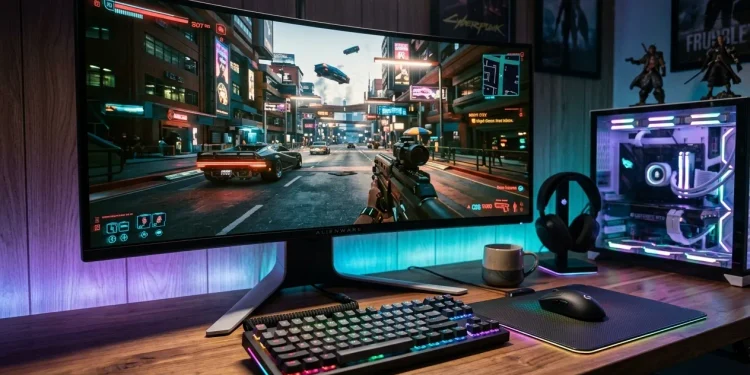
Playing PC games without any lag, freezing, or drops in frames makes the experience more enjoyable. However, not every computer can run the most up-to-date games at their highest settings. That’s where FPS Booster and Can I Run It prove useful. They are tools that tell gamers what their computer can do and provide advice on how to improve the computer’s playability. This enables players to find out if their system is compatible and to make the most of the resources it has so that they can decide better before installing heavy games.
Understanding the Importance of FPS in Gaming
FPS, an abbreviation for frames per second, is the number of frames that the computer can display each second when playing a game; the higher and more stable the FPS, the smoother the movements will be, the quicker the visual feedback will be, and the more responsive the gaming experience will be.
Low FPS can be very annoying in games, especially in competitive ones where a quick response is important; this situation may result from resource limitations, the use of out-of-date graphics software, having too many programs running, or having the graphics settings set too high.
The FPS Booster can be used to deal with certain performance problems caused by software, cutting down on unnecessary resource usage and improving system efficiency.
How FPS Booster Helps Improve Gameplay
An FPS Booster is a kind of software that can be used to optimize the way in which resources are used when gaming; it is capable of managing background processes, optimizing performance settings, or recommending system optimizations based on the software.
Reducing Background Resource Usage
Many programs continue to run even when gamers are not playing, and they can use up the RAM, CPU, and processing power.
An FPS Booster can achieve a benefit by detecting unnecessary background activities so that more resources are available for games; this in turn helps to improve performance in cases where resources are competing with one another, and this is causing a slowdown.
Supporting Stable Gaming Performance
Although high FPS values can be useful in some situations, consistent FPS is more important than high FPS. Sudden drops in performance can lead to interruptions and affect responsiveness.
The game can become more stable if the proper optimisations are made and the right graphics settings are used.
Can I Run It: Checking Game Compatibility Before Installation
Can I Run It is a program that allows users to check whether their computer has the hardware needed for certain games; instead of downloading a game, they can check the system requirements to find out if their computer will work properly or not.
Understanding Minimum and Recommended Requirements
The minimum requirements refer to the basic hardware specifications needed in order to launch and play a game at the lowest settings, while the recommended requirements are designed for more powerful hardware in order to deliver an improved experience.
Can I Run involves a comparison of various features such as the processor, graphics card, RAM, and operating system with regard to these requirements.
Although the above requirements are given, they do not ensure a particular FPS since various factors will affect the actual performance.
Combining Compatibility Checks With Performance Optimization
Can I Run It can be used before installing a game to get an idea of the possible performance limitations. After it has been established that the software is compatible, an FPS Booster can then be used to optimize it.
The method works well for people who have old computers or who can afford only basic gaming setups since it helps them to set their graphics to realistic levels without exceeding expectations regarding performance.
Conclusion
FPS Booster and Can I run it serve different functions but are complementary. Although Can I Run It is used to determine whether a game is compatible, FPS Booster can be used to make the game run more efficiently and smoothly. Together, the two provide a practical solution for PC gamers, allowing them to make informed decisions, prevent unnecessary slowdowns, and enjoy smoother gameplay without having to immediately opt for expensive upgrades.
Use up and down arrow keys to resize the meta box pane.