


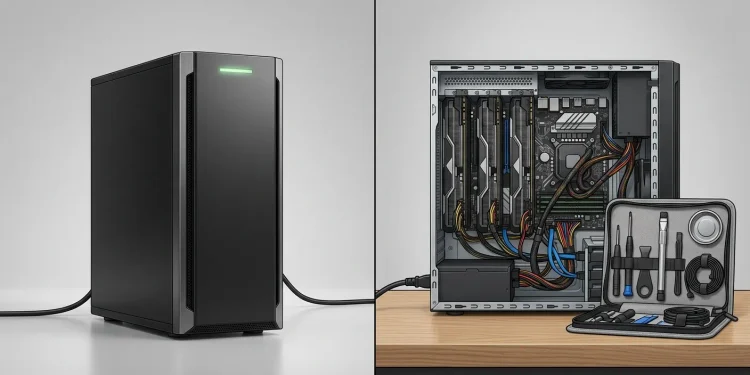
Both options solve the same problem — running AI on hardware you control so your data never touches OpenAI’s, Google’s, or Anthropic’s servers. The difference is who does the work. The AI system Zanus is a turnkey product: a vendor ships you a server with GPUs, pre-installed local language models, and a business software layer, and you pay for that convenience. Building your own private AI server means buying hardware, installing open-source tools like Ollama or vLLM, wiring up document search yourself, and maintaining all of it — cheaper in cash, expensive in hours and expertise.
The short version of the decision: buy turnkey if you have budget but no in-house AI engineering capacity; build if you have the technical staff and want maximum control per dollar. The rest of this guide gives you enough detail to make that call properly, including the questions to ask a vendor and the costs DIY guides usually skip.
What Is the AI System Zanus?
Zanus AI is a US-based company — its team is described as headquartered in Fort Lauderdale, Florida — selling private, on-premises AI systems to businesses. The pitch targets organizations that can’t or won’t send data to cloud AI: healthcare providers, law firms, financial institutions, government agencies, plus verticals like construction and aviation.
What you’re actually buying, according to the company’s own materials, is two things bundled together:
- Hardware: a custom-built enterprise server with integrated GPUs, redundant power, and networking — the “Zanus-Core” box that ships with everything pre-installed
- Software: “Zanus AI OS,” which the company describes as an AI operating system with more than 15 modules — document management, workflow automation, AI assistants, a voice agent/receptionist, and a vector store that lets the AI answer questions from your own files
A few specific claims from the vendor stand out for anyone comparing options. Zanus says the platform can operate without an internet connection for core AI functions, includes multiple language models, supports unlimited users, and avoids token-based charges for internal AI usage. The company also advertises financing through a partner leasing company with terms up to 60 months, which signals this is a capital purchase, not a monthly SaaS fee.
Worth stating plainly: those are vendor claims, not independent benchmarks. Zanus is a relatively young, actively marketed product, and public third-party reviews with hands-on testing are thin as of this writing. That doesn’t make the claims false — the architecture described is entirely feasible — but a serious buyer should verify model quality, speed, and module depth in a live demo with their own documents before signing anything.
What “Building Your Own” Actually Involves
The DIY route has gotten dramatically easier since open-weight models matured, which is exactly why products like Zanus face a build-vs-buy question at all. Here’s the honest scope of the project.
The Hardware
Local AI performance lives and dies on GPU memory (VRAM). Rough tiers, as the market stands in late 2026:
- Entry (one capable consumer GPU, 16–24 GB VRAM): runs mid-size open models well for a handful of users. Think a single workstation in the low-to-mid four figures.
- Serious (one or two professional GPUs, 48 GB+ total): runs larger models at usable speed for a small team. Typically five figures.
- Enterprise-grade (multi-GPU server, redundant power, rack-mounted): comparable to what turnkey vendors ship. Costs climb fast, and this is where the DIY cash advantage starts shrinking.
GPU prices and model efficiency both move quickly, so treat those tiers as shapes, not quotes.
The Software Stack
All of it is free and open source, which is the DIY route’s superpower:
- Model runner: Ollama for simplicity, vLLM for multi-user performance
- Models: open-weight LLMs (Meta’s Llama family, Mistral, Qwen, and others) downloaded and run locally
- Chat interface: Open WebUI or similar, so staff get a ChatGPT-like experience
- Document intelligence (RAG): a vector database plus an ingestion pipeline so the AI can answer from your files — this is the piece that takes real engineering
- Access control, logging, backups: the unglamorous layer that makes it a business system instead of a hobby project
A competent engineer can get steps 1–3 working in a weekend. Steps 4 and 5 — the parts that make it genuinely useful and safe — routinely take weeks to months to do well, and they’re never fully “done.”
The Ongoing Work
This is what DIY cost comparisons leave out. Someone on your payroll now owns model updates, security patches, prompt and retrieval tuning, user support, GPU driver fights, and capacity planning. Budget a meaningful slice of an engineer’s time permanently, not just for setup. If that engineer leaves, their replacement inherits an undocumented custom system — a risk small companies feel much harder than large ones.
Zanus AI vs DIY: Head-to-Head
| Factor | Zanus (turnkey) | Build your own |
|---|---|---|
| Time to working system | Days — ships pre-installed | Weeks to months for a production-ready setup |
| Technical skill needed | Low; vendor handles the stack | High; Linux, GPUs, LLM tooling, RAG |
| Upfront cash | Higher (hardware + software + margin; financing offered) | Lower for equivalent compute |
| Ongoing cash | No per-token fees claimed; support/licensing terms to confirm | Electricity + your staff’s time |
| Business software layer | 15+ modules included out of the box | You build or bolt on each piece |
| Customization | Limited to what the platform exposes | Unlimited — it’s your code |
| Support when it breaks | Vendor | You |
| Vendor lock-in | Real — proprietary OS layer | None; all open source |
| Key risk | Young vendor; claims need verification | Key-person dependency; hidden labor cost |
Two rows deserve expansion because they decide most real cases.
The Cost Structure Is the Real Difference
Neither option has public, stable pricing — Zanus doesn’t publish list prices, and DIY costs depend on your hardware choices and salaries — so the honest comparison is structural, not numerical.
Turnkey concentrates cost into a predictable capital purchase (or lease) plus whatever support contract applies. You’re paying the vendor’s margin in exchange for eliminating hundreds of internal hours. DIY spreads cost into cheap hardware plus expensive, easy-to-underestimate labor. A useful back-of-envelope: estimate the setup at 100–300 engineer-hours and maintenance at a few hours weekly, multiply by your loaded hourly cost, and add it to the hardware. For many mid-size firms without AI staff, that math quietly lands above the turnkey quote. For firms that already employ the right engineers, DIY usually wins on cash.
Lock-In Cuts Both Ways
With Zanus, your workflows, document indexes, and automations live inside a proprietary platform — ask directly what data export looks like if you leave, and get it in writing. With DIY, there’s no vendor to be locked into, but you’re locked into your own build: nobody else on earth supports it, and institutional knowledge about how it works lives in one or two heads.
Questions to Ask Before Buying a Turnkey System
Whether it’s Zanus or a competitor, the same diligence applies. In a demo, insist on:
- Your documents, live. Upload a messy real contract or spec and judge the answers, not the scripted demo.
- Which models, exactly. “Multiple LLMs” should resolve to named open-weight models and sizes, so you can compare quality against what you’d run yourself.
- Concurrency under load. “Unlimited users” is a licensing claim; GPU throughput is physics. Ask what response times look like with 20 people active.
- Update policy. How do new models reach your box, and does that require internet access the sales pitch said you didn’t need?
- Total cost over 5 years. Hardware, software, support renewals, and lease interest if financing — in one number.
- Exit path. Format and process for exporting your data and automations.
A vendor comfortable with all six is a much safer bet than one steering back to the brochure.
When Each Option Makes Sense
A turnkey system like Zanus fits when:
- You’re in a regulated field (healthcare, legal, finance) where “data never leaves the building” is the requirement, and you want it solved this quarter
- You have no AI/ML engineers and don’t want to hire for it
- The built-in business modules (document automation, voice agent, workflows) map to things you’d otherwise buy as separate SaaS tools
- Predictable capital expense beats variable engineering expense for your budgeting
Building your own fits when:
- You already have capable engineers who want this project
- Your needs are narrow — maybe just private chat plus document Q&A — so a 15-module platform is paying for shelf-ware
- You want to swap models the week something better releases, not when a vendor ships an update
- You’re small enough that even a financed enterprise appliance is out of reach; a single-GPU Ollama box covers a 5-person firm surprisingly well
And a third path deserves a mention: private cloud deployment — running open models in a dedicated, isolated cloud environment (AWS, Azure, or a GPU-cloud provider) rather than on-premises hardware. It trades some of the “nothing leaves the building” purity for zero hardware ownership, and for teams whose compliance rules permit it, it often beats both options on flexibility. If your motivation is cost rather than strict data residency, price this option before committing to either box.
The Trade-Off Nobody Escapes
Here’s the balanced truth both camps’ marketing avoids. Turnkey buyers trade money and flexibility for speed and accountability — and take on vendor risk, which is non-trivial with any young company, because your AI infrastructure now depends on that company existing in five years. DIY builders trade time and fragility for control and cost efficiency — and most underestimate the fragility until the one person who built the system resigns.
Neither is wrong. The mistake is choosing based on temperament (“we always build” or “we never build”) instead of an honest audit of your engineering bench, your compliance deadline, and your five-year math.
The Bottom Line
The AI system Zanus and a self-built private AI server deliver the same core promise — AI on infrastructure you own, with no data sent to cloud providers and no per-token bills. Zanus packages it as hardware-plus-software you can deploy in days, at a price that includes the vendor’s work and margin, with claims you should pressure-test in a demo. The DIY route delivers equivalent core capability from open-source parts at lower cash cost, paid for in engineering hours that never really end.
Practical next step: write down your three must-have use cases, then get a live Zanus demo on your own documents and have an engineer spin up Ollama with one open model on a borrowed GPU for a week. Comparing those two real experiences — not two marketing pages — will make the decision close to obvious.
FAQ
What is the AI system Zanus in one sentence?
It’s a turnkey private AI product — an on-premises server with built-in GPUs plus a software layer the vendor calls Zanus AI OS, with local language models, document search, automation modules, and a voice agent, sold to businesses that can’t use cloud AI.
Is Zanus AI legit or a scam?
It’s a real, actively marketed US company with a described architecture that’s technically credible. “Legit” isn’t the same as “right for you,” though — its performance and module claims are vendor statements that deserve verification in a hands-on demo, like any enterprise purchase.
How much does a private AI server cost to build yourself?
Anywhere from a few thousand dollars for a single-GPU box serving a small team to well into five figures for multi-user enterprise hardware — plus the real cost, which is engineering time for setup and permanent maintenance. Hardware prices shift quickly, so quote at decision time.
Can a self-built private AI match a commercial system like Zanus?
On raw AI capability, yes — both run open-weight models, so quality depends on which models and how well they’re deployed. The gap is in the surrounding layer: access controls, business modules, support, and polish, which DIY teams must build or skip.
Does private AI really work without the internet?
Yes — that’s the defining feature of on-premises deployment, whether bought or built. Models run on local GPUs, so inference needs no connection. You’ll still want periodic connectivity (or a manual process) for model updates and security patches.